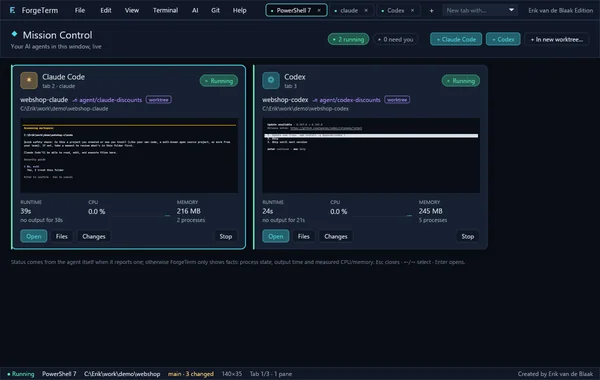
Claude Code and OpenAI Codex keep the full history of every session on your disk: your prompts, pasted text, the model's answers and the output of every tool. That includes the .env file the agent just read. SecurityPassDetector searches that history for passwords, API keys, private keys and personal data and tells you the file, line and column of each find. Read-only, local, without a network connection.
Six files, built from the same code as the v0.1.0 release on GitHub. Check the SHA-256 after downloading: if it matches the hash below, you have exactly the file I built.
Windows 11 · x64
Installer (setup.exe)
Recommended
Installs per user into %LOCALAPPDATA%\SecurityPassDetector, no administrator rights needed, with a Start menu shortcut. No services, scheduled tasks or autostart. On uninstall your data stays by default.
For managed deployments. Installs per machine and therefore needs administrator rights. The MSI was built, but installing it has not been tested: the setup.exe is the recommended download.
For Linux Mint 22 and Ubuntu 24.04. Installs the desktop app with a menu entry; apt fetches missing libraries itself. It does not contain the CLI: that is a separate download.
Portable: make it executable and start it, nothing to install. Contains the desktop app and everything it needs, hence the size. No CLI in here either.
Code signing of the Windows files through the SignPath Foundation has been applied for; version 0.1.0 is not signed. What gets signed, who approves it and the privacy policy are described in the Code signing policy.
Install and run the first scan
Installing does not scan anything yet. When it discovers sources, SecurityPassDetector only reads file names, sizes and dates. The contents are read once you start a scan.
1Check the hash in PowerShell (see below) and run SecurityPassDetector_0.1.0_x64-setup.exe.
2Windows SmartScreen may say Unknown publisher, because the installer is not signed. Choose More info, then Run anyway.
3On first start a wizard takes you through seven steps: what the program does, the privacy promise, discovering sources, choosing what may be scanned, scan preferences, the first scan and the results.
4Want to look around first? Choose Explore with demo data in the wizard. Demo mode uses synthetic data in a separate database and does not read your real history.
5If you find a real secret, rotate or revoke it at its provider first. Editing or deleting a transcript does not revoke anything.
Prefer the terminal? The CLI is a separate download. The examples assume spd.exe: rename spd-0.1.0-windows-x64.exe or use the full name.
PS> spd sources list # what is on this machine (metadata only)PS> spd scan # read-only scan of Claude Code and CodexPS> spd selftest # canary self-test: does anything leak?
The uninstaller removes the program, the shortcut and the registry entry. Your data lives separately in %LOCALAPPDATA%\com.vandeblaak.securitypassdetector and stays by default. It is removed by the option "Delete the application data" in the uninstaller, by "Delete all data" in the app's settings or by spd purge --yes. Your source files are not touched by any of these.
Check the hash and install the desktop app, in the folder with the download:
apt installs WebKitGTK 4.1, GTK 3 and libayatana-appindicator along with it if they are missing. The app is then in the menu; from a terminal you start it with securitypassdetector-desktop.
The AppImage mounts itself through FUSE; that has not been tested. Without FUSE, put APPIMAGE_EXTRACT_AND_RUN=1 in front of it.
The CLI is not in the .deb package or the AppImage. Download the tar.gz, check the hash, unpack and scan:
$ sha256sum -c spd-0.1.0-linux-x64.tar.gz.sha256
$ tar -xzf spd-0.1.0-linux-x64.tar.gz
$ ./spd-0.1.0-linux-x64/spd sources list # what is on this machine (metadata only)$ ./spd-0.1.0-linux-x64/spd scan # read-only scan of Claude Code and Codex$ ./spd-0.1.0-linux-x64/spd selftest # canary self-test: does anything leak?
Want to try it on synthetic data first? In 0.1.0 spd demo prints the PowerShell form of the variables on Linux too. In bash it is:
$ ./spd-0.1.0-linux-x64/spd demo "$HOME/spd-demo"
$ export CLAUDE_CONFIG_DIR="$HOME/spd-demo/claude"
$ export CODEX_HOME="$HOME/spd-demo/codex"
$ export SPD_HOME="$HOME/spd-demo/spd-data"
$ ./spd-0.1.0-linux-x64/spd scan  # scans the demo data only
Remove the desktop app:
$ sudo apt remove security-pass-detector
Your data lives in ~/.local/share/com.vandeblaak.securitypassdetector and stays when you uninstall. It is removed by "Delete all data" in the app's settings or by spd purge --yes. Your source files are not touched by either.
What SecurityPassDetector does
Discover
Finds the history of Claude Code (~/.claude or CLAUDE_CONFIG_DIR) and Codex (~/.codex or CODEX_HOME): transcripts, subagents, prompt history, paste cache, file snapshots and zstd-compressed rollouts.
Detect
98 rules in 9 categories: AI and cloud keys, tokens, passwords in 19 syntaxes, database URIs, private keys and personal data such as BSN, IBAN and card numbers. Validators (Luhn, IBAN, BSN, JWT, Basic auth), entropy and false-positive heuristics.
Locate
The exact path with line and column, even inside escaped or nested JSON. From the app you open that spot in VS Code or in the file explorer.
Explain
Severity, confidence and exposure: did you paste it, did a tool read it, or did the model write it? Together they give a risk score, with the calculation shown step by step.
Correlate
A keyed fingerprint recognises the same secret in other files, sessions, projects and agents, without storing the secret. The Exposure Map draws how it spread.
Respond
A Remediation Center with statuses and a checklist per type of secret, in English and Dutch. Safe redacted copies, and reports in HTML, JSON, CSV and SARIF.
Monitor
An optional live monitor watches the agents' folders and runs a quick scan shortly after something changes. Notifications contain no sensitive data. It is detection after the fact, not prevention.
Personal data
The Privacy Center groups possible personal and financial data, with GDPR guidance. A valid checksum does not prove that a number is real.
Desktop app and CLI
The app comes in English and Dutch, dark and light, with a tray icon and a command palette under Ctrl+K. Everything also works with spd on the command line.
Four kinds of scans
A scan opens the source files read-only. You can cancel it, and the window stays responsive in the meantime.
Scan
Use it for
Quick
The daily check: only files that changed since the last scan. Afterwards you see the full stored picture.
Full
All selected sources with all standard rules. The recommended first scan.
Deep
Full, plus high-entropy strings and the Codex state databases. Slower, and with more false positives.
Privacy
Personal data and confidential information only.
What it looks like
Screenshots of version 0.1.0, taken in the app's demo mode, most of them with the Dutch interface. All keys, projects and sessions in them are synthetic; no real session history was read.
Findings: one row per unique secret, with risk score, confidence, type, masked value, agent, project and source. You can filter on each of those columns.One finding opened: what was found (masked), which rule reported it, how sure that is and how the risk score was built.The locations of the same secret: each file with line and column, the JSON path and the buttons Open in VS Code and Show in folder.The Exposure Map in the light theme: how secrets spread across agents, projects and sessions.The Privacy Center: possible personal data by type, such as BSN, phone number, e-mail address and IBAN, with the GDPR guidance next to it.Remediation: every unique secret on a board with columns such as New, Investigating, Confirmed and Rotation required. The program rotates nothing itself.The first-run wizard, step 1 of 7, with the option Explore with demo data.
What SecurityPassDetector never does
A program that looks for secrets must not become a new leak itself. These rules are in the code, and spd selftest checks them.
No account, no cloud, no telemetry, no update checks and no online validation of the secrets it finds. There is no network code in the program. Only the Windows installer fetches the WebView2 runtime from Microsoft if it is missing; Windows 11 already includes it.
Source files are opened read-only and never modified. Redaction always writes a separate copy.
A finding contains a masked value, such as AKIA************WXYZ, and a keyed HMAC fingerprint. Never the secret itself, and no conversation text.
The agents' own credential stores (.credentials.json and auth.json) are never read.
Symlinks and junctions are not followed, other users' profiles are refused and every input is bounded.
spd selftest scans canary credentials and checks that nothing of them ends up in the database, the journal, reports, JSON output or redacted copies.
What it sees, and what it does not
SecurityPassDetector looks at what is already on disk. This is what version 0.1.0 covers.
Area
Status
Notes
Claude Code
supported
Transcripts, subagents, prompt history, paste cache and file snapshots, with origin labels.
OpenAI Codex
supported
Sessions, including the zstd-compressed rollouts. The SQLite state databases only in a Deep Scan, as extracted text.
Other agents
partial
Cursor, Gemini CLI, GitHub Copilot, Windsurf, Cline, Roo Code, Aider and OpenCode can only be scanned as a custom folder: generic, without origin labels.
Encoded secrets
partial
Base64, hex and URL encoding are only found when a rule matches the encoded form. Nested JSON is decoded two levels deep.
Validity
no
Secrets are never validated online, so the program cannot tell whether a key still works.
Prevention
no
The live monitor sees data after it was written and cannot block anything. Integration with agent hooks is planned.
The transcript formats are internal to Anthropic and OpenAI and may change. SecurityPassDetector scans every string generically, so coverage remains, but the origin labels may then become less accurate.
From the command line
The output never contains a full secret. With --json you get machine-readable output, and the exit codes are fixed: with --fail-on high a scan returns code 3 as soon as a finding of that level exists.
# only what changedPS> spd scan --quick
# stored findings, highest risk firstPS> spd findings list --severity high --group
# what, why, how sure, where and what to doPS> spd findings show 3f2a9c01d4
# report with masked valuesPS> spd report --format html -o report.html
# redacted copy, the original staysPS> spd redact session.jsonl -o session.redacted.jsonl
# synthetic data to try it safelyPS> spd demo C:\temp\spd-demo
# delete all stored metadataPS> spd purge --yes
Measured speed
Measured on 27 November 2026 with a release build on synthetic transcripts: Intel Core i9-13980HX, 16 GB RAM, NVMe SSD, Windows 11, Full Scan with the default rules.
Dataset
Scan time
Throughput
Peak memory
100 MB
0.32 s
319 MB/s
42 MB
1 GB
2.77 s
372 MB/s
45 MB
10 GB
24.8 s
409 MB/s
84 MB
Every planted secret was found at every size: 25,984 of 25,984 in the 10 GB set. The numbers describe this machine and this shape of data. Not measured: Linux, slow disks and a Quick Scan on a large real-world history.
What is tested, and what is not yet
Tests
249 automated tests: 75 for the engine and the CLI, 2 for the desktop backend and 172 for the frontend. All tests run on synthetic data; real transcripts are never used as fixtures.
Detection quality
On a labelled synthetic corpus of 160 cases (117 positives, 43 negatives or false-positive challenges) precision and recall are 1.000. That corpus was written together with the rules and is therefore optimistic: it guards against regressions and says nothing about accuracy on real data.
Installer
Tested on Windows 11 from install to uninstall: silent install without administrator rights, the installed app started and synthetic data scanned, a reinstall kept the data, uninstalling removed the program, the shortcut and the registry entry.
Linux
Built from the same tag v0.1.0 in WSL with Ubuntu 24.04, the base of Linux Mint 22. On the demo data the CLI gives the same result as on Windows: 26 findings, 14 unique secrets. spd selftest --quality had no false positive and no miss on the 160 cases. In a clean Ubuntu 24.04 root filesystem apt installed the .deb package with all its dependencies, and apt remove took it out again and left the user data in place. The desktop app started from the .deb package and from the AppImage under WSLg and kept running.
Not tested yet
The MSI was built but not installed. That the live monitor rescans by itself after a file change is not yet covered by an automated test. The Open in VS Code button was not clicked during testing. The app has not been checked on a real Linux Mint desktop yet: the tray icon, the notifications and the menu entry were not verified there. The AppImage was not started through FUSE.
Known limitations
Detection is heuristic. Secrets without a recognisable format or context are missed, and some findings are false positives.
A password that literally starts with $ is missed in key/value syntax: it is treated as a variable.
The files are not signed. No code signing has been applied for on the Linux packages either.
File paths and project names are stored in clear text in the database and in exports. They can be confidential themselves.
The fingerprint key is a file with user-only permissions, not yet stored through DPAPI.
Risk-factor explanations and the names and descriptions of rules are in English, also in the Dutch interface.
There are no scheduled scans yet.
Deleting all data does not guarantee secure deletion on SSDs, in backups or in operating-system caches.
Not tested on a real Linux Mint desktop, only under WSL with Ubuntu 24.04.
In 0.1.0 spd demo prints the PowerShell form of the variables on Linux too. The bash form is under Install.
No macOS version, and on Linux amd64 only.
Under the hood
One engine in Rust (spd-core) with two front-ends: the spd CLI and a desktop app built with Tauri 2 and React. The rules are TOML files; you can add your own. unsafe is denied in the code. Source code on GitHub
Nothing. SecurityPassDetector is free and open source under the Apache-2.0 license. The source code is on GitHub: github.com/erikvandeblaak/SecurityPassDetector.
Where does SecurityPassDetector look?
In the session history of Claude Code (~/.claude, or the folder in CLAUDE_CONFIG_DIR) and OpenAI Codex (~/.codex, or CODEX_HOME), and in files or folders you point it at. The agents' credential stores, .credentials.json and auth.json, are never read.
Does SecurityPassDetector store the secrets it finds?
No. It keeps a masked value, such as AKIA************WXYZ, and a keyed HMAC fingerprint, plus the path, line and column. The full secret and the conversation text are not stored.
Does my data go anywhere?
No. There is no network code in the program: no account, no cloud, no telemetry, no update checks. The secrets it finds are not validated online either.
Is a secret gone when I delete the transcript?
No. Editing or deleting a transcript does not revoke a leaked key. Anything in a transcript was very likely sent to the AI provider as well. Rotate the key or password at its provider.
Does SecurityPassDetector find every secret?
No. Detection is heuristic: secrets without a recognisable format or context are missed, and some findings are false positives. A finding does not prove that a key still works either.
Does it work with Cursor, Gemini CLI or Copilot?
Only as a custom folder. Claude Code and OpenAI Codex are supported. You can have the history of other agents scanned as a folder; that is generic, without origin labels.
How does it differ from AgentShield?
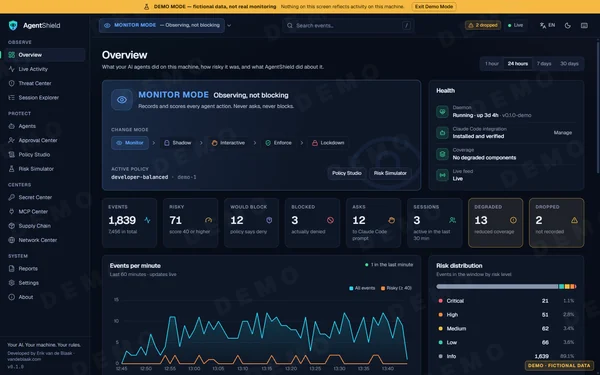
AgentShield watches what Claude Code does live, through hooks, and can refuse an action. SecurityPassDetector looks at what is already on disk: the session history. The two complement each other.
Does SecurityPassDetector run on Linux or macOS?
On Linux yes, on macOS no. For Linux (amd64) there are a .deb package and an AppImage with the desktop app and a tar.gz with the CLI. They were built and tested on Ubuntu 24.04, the base of Linux Mint 22, under WSL. The app has not been checked on a real Mint desktop yet.
Why does Windows warn me when installing?
The installer is not digitally signed. Windows SmartScreen may then say "Unknown publisher". Check the SHA-256 first, then choose More info › Run anyway.
How do I know the download is genuine?
Compute the file's SHA-256, with Get-FileHash in PowerShell or sha256sum on Linux, and compare it with the hash on this page or in the .sha256 file. For the Windows files the hash is also in SHA256SUMS.txt on the GitHub release.
SecurityPassDetector is made by Erik van de Blaak.
Found a bug or have a question about SecurityPassDetector? Report it on GitHub or email me. Security issues please through SECURITY.md on GitHub. Never send real keys or real transcripts: reproduce it with spd demo.